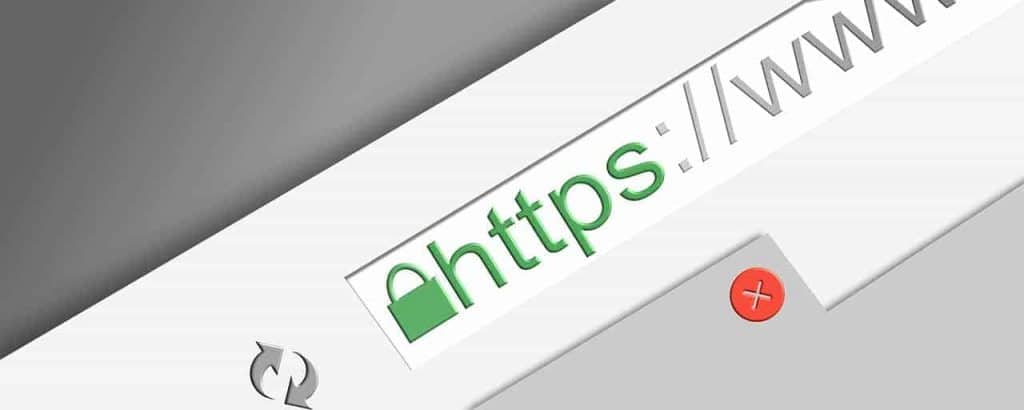
An SSL Certificate encrypts data and proves your site’s identity. When browsers show https and a padlock, you signal that you take security seriously. You want visitors to feel safe when they share information on your website.
In this post, you learn what an SSL Certificate is, how it works, how it affects trust, SEO, and ROI, and how you can choose, install, and manage the right option. You also get practical steps, pitfalls to avoid, and quick FAQs for fast answers.
What Exactly Is an SSL Certificate
You use an SSL Certificate (more precisely, TLS) to secure the connection between a browser and your server. The certificate binds your domain to a public key and includes details like issuer, validity dates, and your site’s name.
Quick Definition and Why It Matters
- Definition: You install a digital certificate that enables encryption and authentication for your website.
- Data point: In the U.S., Chrome loads over 95% of pages over https, so users expect the padlock by default.
- Tip: You should treat “SSL” and “TLS” as one concept for everyday decisions; modern browsers use TLS.
You will see types like DV (Domain Validation), OV (Organization Validation), and EV (Extended Validation). DV verifies control of the domain. OV and EV also verify your business identity, which can improve user confidence.
How Do SSL Certificates Work Under the Hood
You rely on public/private key cryptography to start the session and a fast symmetric session key to protect data in transit. Your browser checks the certificate chain to a trusted authority, validates the domain, and negotiates ciphers.
Handshake Basics You Can Explain
- Step 1: Your browser says hello, proposing TLS versions and ciphers.
- Step 2: The server presents the certificate chain and proves it controls the private key.
- Step 3: Both sides derive a session key for fast encryption.
TLS 1.3 reduces round trips (1-RTT), which can speed the first request versus older versions.
How Does an SSL Certificate Affect Trust and Credibility
You build trust the moment users see https and the padlock. Your forms, account pages, and checkout look professional and secure, which reduces hesitation when sharing payment or personal information.
Signals Users Recognize Instantly
- Visual cues: Show https, a padlock, and no “Not secure” warnings in modern browsers.
- Data point: Major browsers flag HTTP forms as risky, so you avoid scary interstitials and warnings by using encryption.
How Does SSL Influence SEO and Performance
It helps search visibility because Google has used https as a ranking signal for years. You also prevent referral data from being stripped when traffic passes between secure pages.
Speed and Search in Practical Terms
- Data point: TLS 1.3 and HTTP/2 or HTTP/3 can improve latency compared to legacy stacks, especially on mobile networks.
- Tip: You should enable OCSP stapling and modern ciphers to speed handshakes.
What Business Results Can You Expect
Reduce cart abandonment risks, unlock modern browser features, and protect revenue by avoiding scary warnings. Even a small trust lift can move your conversion rate.
Simple ROI Math You Can Try
- If your store processes $100,000 monthly and a clearer secure checkout raises conversions by 1%, you could gain about $1,000 per month.
- Many certificates are free; managed options can range from tens to hundreds of dollars annually.
What Mistakes Should You Avoid
Common pitfalls can undermine that goal, even if you bought the right certificate.
Frequent SSL Missteps
- Mixed content: Load images or scripts over HTTP, which breaks the padlock. Fix by serving all assets over https.
- Wrong chain: Install an incomplete chain, causing trust errors. Always include intermediates from your authority.
- Expired certs: Forget renewal. Browser-trusted lifespans are roughly one year (up to 398 days), so automate.
- Self-signed in production: Use self-signed locally, but you should never use it for a public site.
- Weak protocols: You must disable SSLv3 and old TLS to prevent downgrade and known attacks.
How Can You Choose and Obtain the Right Certificate
You match the type to your use case and automate renewals from day one. You can get a free DV certificate or buy OV/EV for stronger identity signals.
Types and Use Cases
- DV: Verify control of the domain; best for blogs, marketing pages, and basic sites.
- OV: Verify your organization; better for businesses that want visible identity details.
- EV: Undergo extended validation; useful when you need maximum identity assurance.
- Wildcard, multi-domain: Cover subdomains or multiple domains with one solution.
Acquisition and Setup Steps
- Step 1: Generate a CSR on your server or use a managed service.
- Step 2: Complete validation (email, DNS, or HTTP) with the certificate authority.
- Step 3: Install the certificate and chain, then enable https site-wide.
- Step 4: Automate renewal with ACME. Try Let’s Encrypt or Certbot.
You should test using SSL Labs and fix any protocol, cipher, or chain warnings before launch.
FAQs
Do you need an SSL Certificate for every domain?
You need coverage for each domain and subdomain you serve; a wildcard or multi-domain option can help.
Can you use one certificate across multiple servers?
Yes, but you must protect the private key and update all nodes when renewing.
How do you tell if your site is secure?
Look for https, a padlock, and no warnings; then run an external scan to confirm configuration.
What happens if your certificate expires?
It triggers browser errors and loses traffic until you replace it; automate renewals to avoid downtime.
Is SSL the same as TLS?
You will hear both; modern security uses TLS, but the term SSL survives as shorthand.
Conclusion
By adopting an SSL Certificate, you protect data, boost trust, and support SEO performance. You reduce friction at checkout, avoid warnings, and set a solid foundation for growth.
Ready to strengthen your security stack? Partner with Strategic Websites for guidance, clean implementation, and reliable renewals that keep your site performing at best.